Low battery?Plug n’ Boost.
PlugnBoost kiosks put a charged power bank in your hand in seconds. Tap or scan to pay, charge on the go, and bring it back to the same kiosk when you’re done.
 USB-C and Lightning built in
Three steps and you’re charging
No app, no account and no cord of your own.
Tap or scan
Tap a credit card or non-Interac debit card. Using Interac or Apple Pay? Scan the QR code and pay online.
- Credit cards
- Non-Interac debit
- QR: every card type
Grab
Take a power bank. USB-C and Lightning cables are built in, so you don’t need your own.
Return
When you’re done, slide it back into the same kiosk you got it from.
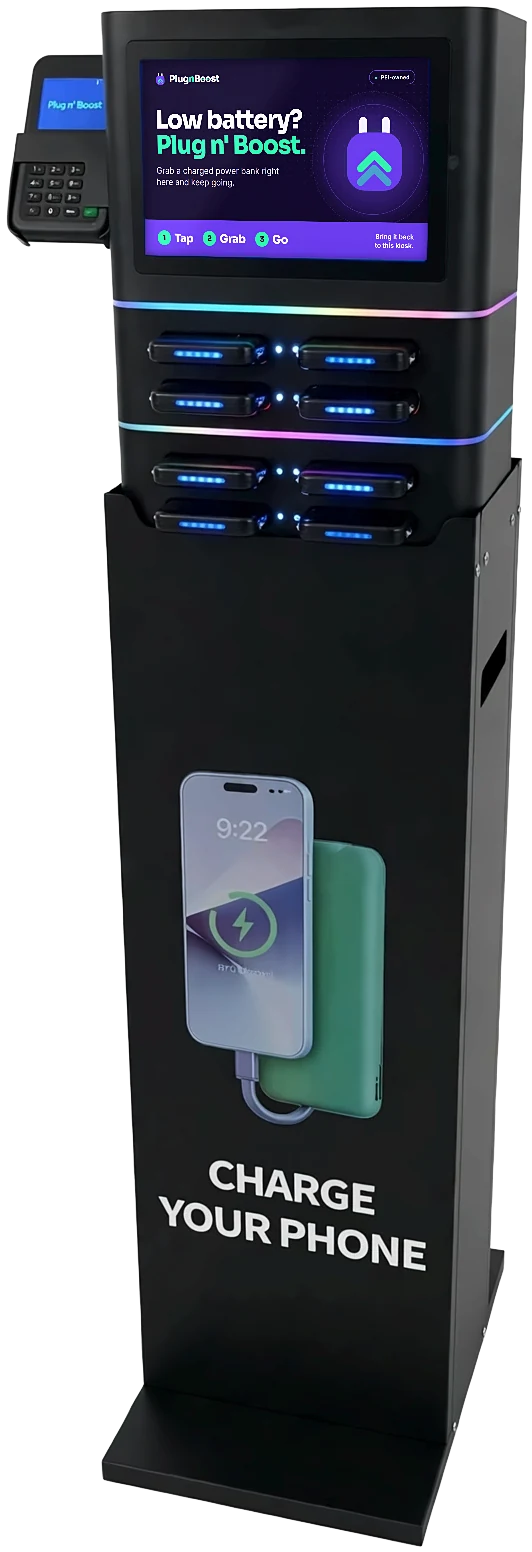
Meet the PlugnBoost kiosk
Scroll to take it apart, one piece at a time.
- 01 / 08
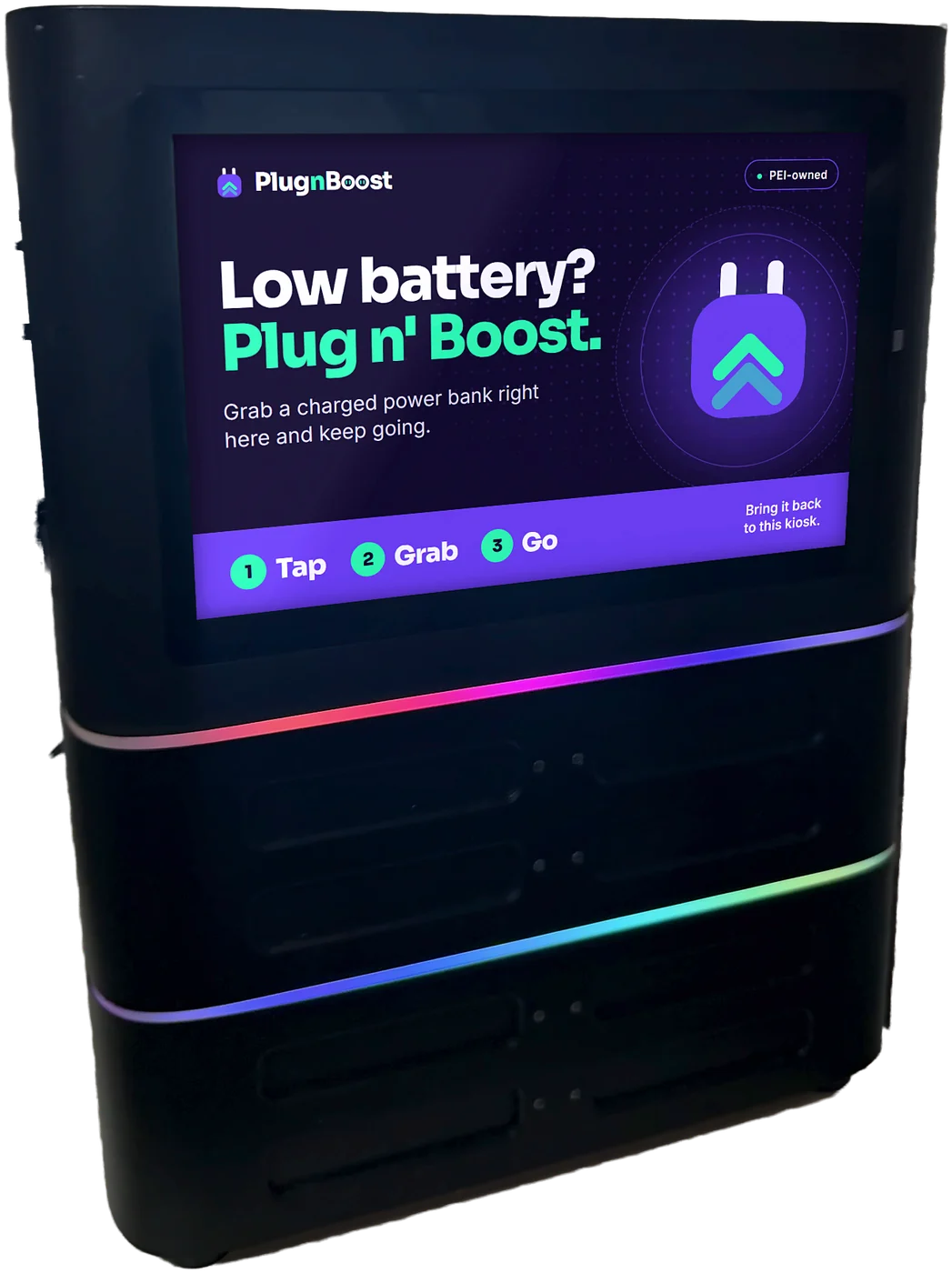
One kiosk, ready to charge
Everything a guest needs to get charged, in one unit. Set it on a counter, on our floor stand or on a slim wall-mounted shelf.
- 02 / 08
The screen
It walks people through renting and shows your venue’s promos and local ads between rentals.
- 03 / 08
Tap or scan to pay
The reader takes credit cards and non-Interac debit cards. For Interac, Apple Pay or any other card type, scan the QR code and pay online.
- 04 / 08
Charging slots
Every slot charges its power bank while it waits. Kiosks usually run 8 power banks, and you can get more.
- 05 / 08
The power bank
Each one has its own USB-C and Lightning cables built in, so iPhones and Android phones both work.
- 06 / 08
Light bands
Colour light rings make the kiosk easy to spot from across a bar or a mall.
- 07 / 08
Bring it back here
Slide the power bank into any empty slot on the same kiosk and the rental ends.
- 08 / 08
White or black
The kiosk, the power banks and the floor stand all come in white or black.
Want one in your venue?
It’s free to host and easy to run.
You see the price before you pay
Prices are set by location and shown before you pay. No subscriptions and no hidden fees.
Credit cards and non-Interac debit cards work on the reader.
A hold goes on your card while you have the power bank and comes off when it’s back.
Scan the QR code to pay online with any card type, including Interac and Apple Pay.
Wherever the night takes you
From the front row to the back booth, PlugnBoost keeps phones alive.
Bars and restaurants
A dead phone shouldn’t end the night early. Guests rent, charge and bring it back, all without an app.
Concerts and events
Tickets, photos and the ride home all live on the phone. A charge is a tap away.
Malls and busy spots
Shoppers keep going instead of heading home to plug in.
Free to host. We do the work.
- Free for your venueNo cost to host a kiosk, and qualifying venues earn up to 10% of rentals.
- We install and maintain itSetup, servicing and restocking are all on us.
- An outlet and WiFiThat’s all it needs. If you can’t provide WiFi, we can talk about options.
- Counter, stand or wallUse a counter, our floor stand or one of our sleek wall-mounted shelves.
- A perk guests rememberOne more reason for people to stay a little longer.
Built to make hosting easy
The kiosk looks after your guests and asks almost nothing of you.
Guests stay longer
A charged phone is one less reason for people to leave early.
No outlet hunting
Guests take a charged power bank with them instead of asking staff for a plug.
Free to host
We supply, install and maintain the kiosk. Qualifying venues earn up to 10% of rentals.
We handle the tech
Payments, software and support are built in. You plug it in and we take it from there.
Bring PlugnBoost to your spot
Host a kiosk for free, or own kiosks yourself. Either way, we handle the tech.
Host a kiosk for free
- ApplyTell us about your venue through the short form.
- We install and maintain itWe deliver, set up and service your kiosk at no cost to you.
- Guests chargeCustomers tap or scan, grab a power bank and bring it back to your kiosk.
- Nothing to manageNo equipment to look after and nothing to track.
Own your own kiosks
- Apply and pick a packageChoose how many kiosks fit your plans.
- We set you upWe configure your payments, software and support.
- Your kiosks ship to youKiosks, power banks and your floor stands or wall shelves come straight to you. We confirm timing before you commit.
- Go livePlug it in and your kiosk is renting.
Own a PlugnBoost kiosk
Bring PlugnBoost to your city anywhere in Canada. You own the kiosks, and we handle payments, software and support.
- 1 PlugnBoost kiosk
- 8 power banks each, or more
- Floor stands or wall shelves
- Payments, software and support
- 3 PlugnBoost kiosks
- 8 power banks each, or more
- Floor stands or wall shelves
- Payments, software and support
- 5 PlugnBoost kiosks
- 8 power banks each, or more
- Floor stands or wall shelves
- Payments, software and support
- 10 PlugnBoost kiosks
- 8 power banks each, or more
- Floor stands or wall shelves
- Payments, software and support
- 25 PlugnBoost kiosks
- 8 power banks each, or more
- Floor stands or wall shelves
- Payments, software and support
Shares are confirmed in your owner agreement and aren’t a guarantee of income. Replacement power banks are bought from us and shipped to you.
Not sure which package fits?
Tell us where you’d put kiosks and Ollie will send pricing and next steps.
Apply to partner
We’ll follow up by email.
every ThursdayKitchen open till midnightAsk your server
These are made-up examples. Your ad can be your own logo, photos and offer, in your colours.
Your ad, right where people stop
Every kiosk has a screen at eye level in bars, restaurants and events. People look at it while they grab a charger, so local customers see your business up close.
- Local reachShown in venues where people actually spend time.
- Eye-level screensOn the kiosk people walk up to and use.
- Easy to updateWe swap your ad when your promo changes.
Kiosks near you
The first PlugnBoost kiosks are going live on Prince Edward Island. A live map of every kiosk is coming to this page.

Why we changed our name
We started out as JuiceBox. That name is trademarked, and lots of other businesses already use it, so keeping it meant fighting for it.
We picked PlugnBoost because it’s ours alone. Same kiosks, same owner and same service. Some of our first power banks still say JuiceBox on the back.
Good to know
Do I need to download an app?
No. Tap a credit card or non-Interac debit card, or scan the QR code and pay online. There’s no app to download.
Can I pay with Interac or Apple Pay?
Yes, through the QR code. Scan it and pay online with any card type, including Interac and Apple Pay. The tap reader takes credit cards and non-Interac debit cards only.
Will it work with my phone?
Every PlugnBoost power bank has USB-C and Lightning cables built in, so it works with iPhones and almost every Android phone.
Where do I return the power bank?
Bring it back to the same kiosk you got it from and slide it into any empty slot. That ends the rental.
What if I don’t bring it back?
A hold goes on your card when you rent. It comes off when the power bank is back, and covers it if it never returns.
What does it cost my venue?
Nothing. We install and maintain the kiosk for free, and qualifying venues earn up to 10% of rentals.
What does the kiosk need?
A power outlet and WiFi. If you can’t provide WiFi, we can talk about other options.
Why did JuiceBox change its name?
The JuiceBox name is trademarked and used by lots of other businesses. We wanted a name we wouldn’t have to fight for. More on the rename.
Bring PlugnBoost to your venue
Free to host and no hassle. Send this and we’ll take care of the rest.
Request a kiosk
Ollie replies within 1 business day.